
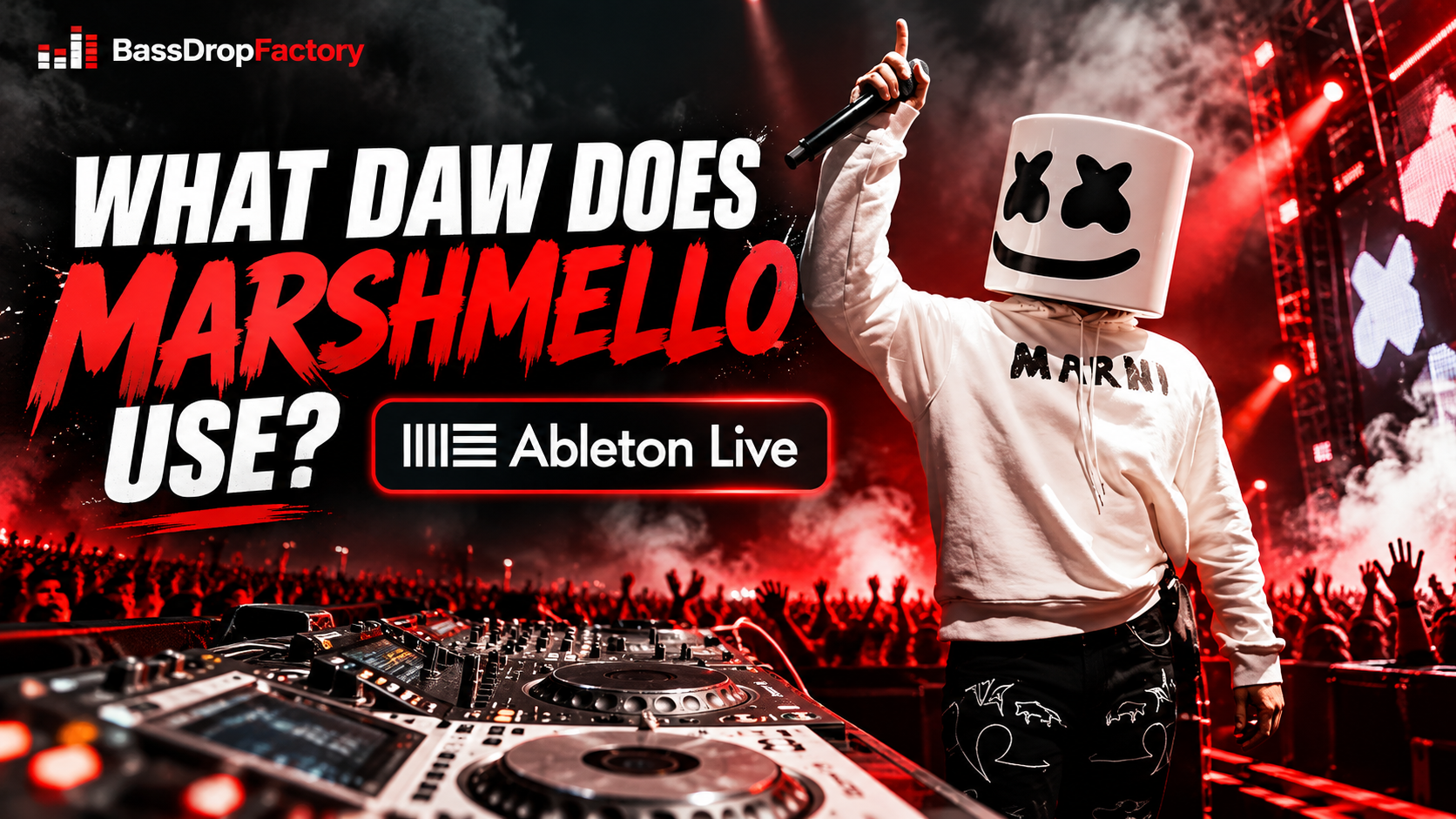
Marshmello has become one of the most recognizable names in electronic dance music. From the infectious melodies of Alone to massive crossover hits like Happier with Bastille and Wolves with Selena Gomez, his productions have reached audiences far beyond traditional EDM.
But behind the signature white helmet and chart-topping records is a question that many aspiring producers want answered: What DAW does Marshmello use to make his music?
The answer is Ableton Live.
Unlike many producer gear lists that rely on speculation, Marshmello has personally confirmed his software choice in multiple interviews. However, there is more to his production setup than simply opening Ableton and loading a synthesizer.
In this article, we’ll explore Marshmello’s DAW, how he started producing music, why Ableton Live is particularly suited to electronic music production, the plugins associated with his sound, and whether you should consider using the same software.
What DAW Does Marshmello Use?
Marshmello uses Ableton Live as his primary digital audio workstation (DAW). He confirmed this during a 2018 interview with GQ, where he specifically mentioned using Ableton Live 10.
He also revealed that his music production journey began with Apple’s GarageBand before he eventually transitioned to Ableton.
In the GQ interview, Marshmello explained that while many producers started with GarageBand and later moved to Logic Pro, he chose Ableton instead.
That decision turned into a long-term workflow.
During a separate WIRED interview in October 2021, Marshmello confirmed that he was still using Ableton and estimated that he had been working with it for approximately 11 years.
He also admitted that he was still discovering new things about the software despite his extensive experience.
That’s worth remembering: even professional producers don’t necessarily know every function inside their DAW.
Which Version of Ableton Does Marshmello Use?
Marshmello specifically confirmed Ableton Live 10 in his 2018 GQ interview.
However, that doesn’t mean he’s still using Live 10 today.
Ableton has since introduced newer versions, including Live 12, with expanded MIDI tools, instruments, effects, and production features.
As of this article’s research, there is no sufficiently reliable, recent public confirmation of his exact current Ableton version.
The important takeaway is that Ableton Live is his confirmed production environment. His specific version may have changed over time.
How Marshmello Started Producing Music
Interestingly, Marshmello didn’t begin his production journey with expensive professional software.
He started with GarageBand, Apple’s beginner-friendly music production application.
GarageBand provides a straightforward introduction to creating beats, recording audio, sequencing instruments, and arranging songs. Its relatively simple interface makes it appealing to anyone learning music production for the first time.
Marshmello eventually moved from GarageBand to Ableton Live rather than taking the more conventional GarageBand-to-Logic Pro route.
That transition makes sense when you consider his musical direction.
Electronic music often involves detailed MIDI programming, extensive audio manipulation, layered synthesizers, creative effects, and constant experimentation.
Ableton Live provides a flexible environment for those tasks.
However, Marshmello’s career also demonstrates something important: you don’t need an expensive DAW to begin making music.
Learning arrangement, melody, rhythm, and sound selection matters far more than immediately purchasing professional software.
Why Is Ableton Live Popular for EDM Production?
Ableton Live has developed a strong following among electronic music producers because of its emphasis on experimentation and flexible music creation.
Rather than forcing producers into one particular workflow, Ableton offers several approaches to building a track.
1. Session View for Experimenting With Ideas
One of Ableton Live’s defining features is Session View.
Instead of immediately arranging a complete song on a traditional timeline, producers can experiment with individual clips containing drums, melodies, basslines, and other musical elements.
These clips can be triggered in different combinations, allowing producers to discover interesting arrangements without committing to a finished structure.
For example, you could create several chord progressions, different drum patterns, and multiple bassline variations, then experiment with how they work together.
This can be particularly useful when developing energetic EDM tracks.
Ableton explains this workflow in its official Session View documentation.
2. Arrangement View for Building Complete Tracks
Once a producer has developed a promising musical idea, Ableton’s Arrangement View provides a traditional timeline for turning it into a complete song.
This is where elements can be structured into intros, verses, buildups, drops, breakdowns, and outros.
For electronic music, arrangement is extremely important.
A powerful drop doesn’t necessarily work without the right buildup, and a memorable melody can lose its impact if every instrument plays continuously.
Arrangement View allows producers to control how musical elements enter, develop, and disappear throughout a track.
It’s worth noting that these are capabilities of Ableton Live, not verified details of Marshmello’s personal project workflow.
3. Audio Warping and Sample Manipulation
Ableton Live is also known for its audio-warping capabilities.
Warping allows producers to adjust the timing of audio clips and synchronize recordings with a project’s tempo.
This is useful when incorporating vocal recordings, drum loops, percussion, and other sampled material.
For instance, imagine finding a vocal phrase that fits your track melodically but was recorded at a different tempo.
Ableton’s warping tools can help align it with your project.
Creative manipulation of audio is a major part of modern EDM production, making these tools particularly valuable.
4. Built-In Instruments and Effects
Another advantage is Ableton’s collection of software instruments, MIDI effects, and audio processors.
Depending on the edition, producers have access to synthesizers, sampling instruments, equalizers, compressors, saturation effects, reverbs, and creative sound-design tools.
This means it’s entirely possible to produce sophisticated electronic music without immediately purchasing a large collection of third-party plugins.
The official Ableton edition comparison provides a detailed breakdown of the available instruments and effects.
What Plugins Does Marshmello Use?
A DAW provides the production environment, but plugins help producers create and manipulate their sounds.
Several synthesizers and production tools have been associated with Marshmello through community-maintained equipment databases and music production discussions.
However, it’s important to distinguish between confirmed software choices and less thoroughly documented gear claims.
Native Instruments Massive
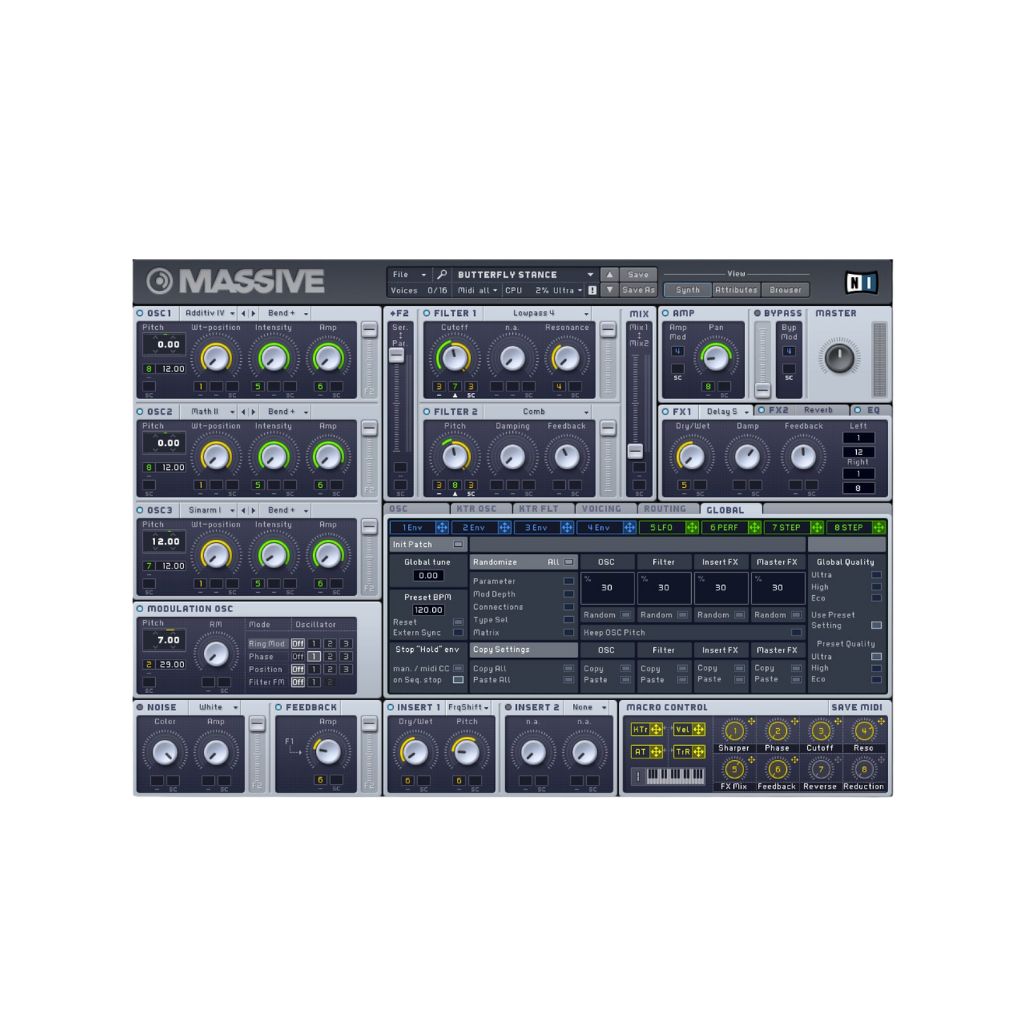
Massive is a synthesizer known for aggressive bass sounds, evolving textures, and electronic leads.
Marshmello’s Equipboard profile references Massive and a reported comment concerning the sub-bass processing used in Alone.
The account describes a combination of Massive and Ableton’s built-in Saturator.
Although this is useful historical information, the original project file is not publicly verified through that listing.
Massive remains a capable option for producing electronic basslines, leads, and textured synthesizer sounds.
reFX Nexus
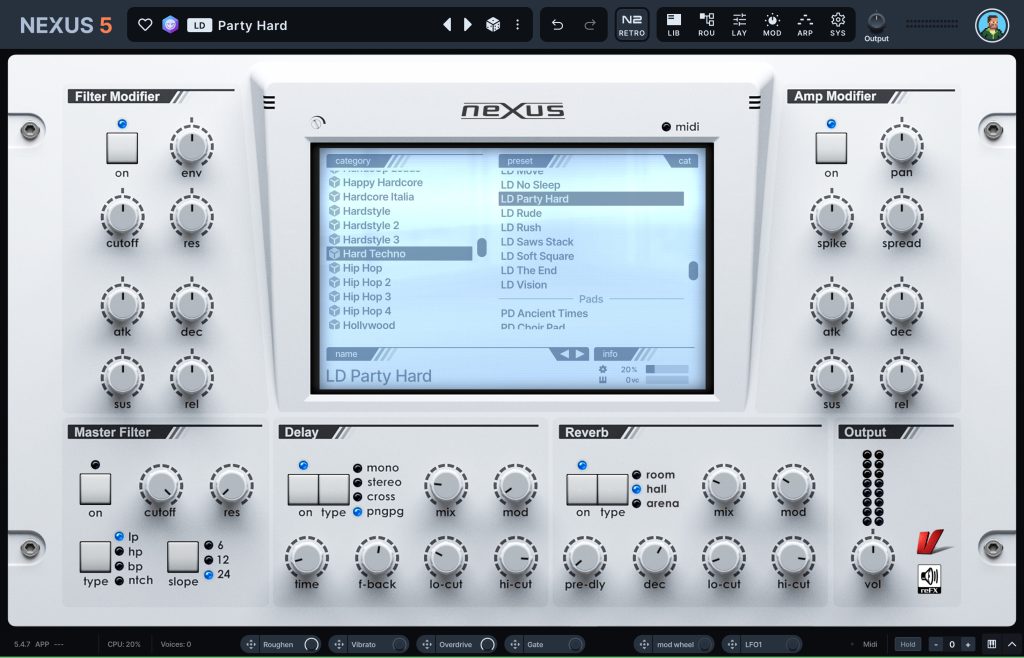
Nexus is a preset-oriented synthesizer popular among dance music producers.
Its extensive collection of sounds makes it useful for quickly finding polished plucks, leads, pads, and other electronic instruments.
Nexus has frequently been associated with Marshmello in secondary producer gear lists, although exact plugin usage across individual tracks is not consistently documented.
For producers seeking bright melodic sounds, Nexus can be an appealing starting point.
Xfer Serum
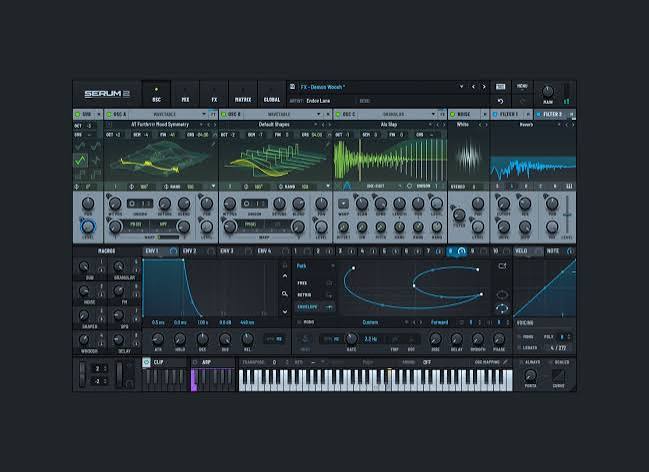
Serum is widely used for electronic sound design thanks to its wavetable synthesis capabilities.
It allows producers to design everything from smooth atmospheric pads to aggressive bass sounds and detailed leads.
Some third-party gear lists associate Serum with Marshmello, but this should not be interpreted as proof that he used it on any particular release.
More importantly, Serum is useful for exploring the type of expressive synthesizer sounds commonly heard throughout modern EDM.
Ableton’s Stock Effects
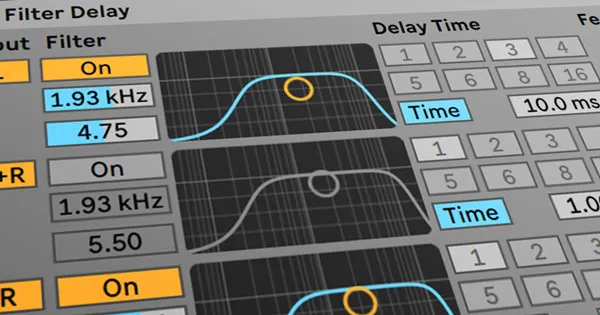
Not every professional sound requires a premium plugin.
Equalization, compression, reverb, delay, filtering, and saturation can all contribute to creating a polished electronic production.
Ableton’s native effects are capable of handling many of these tasks.
For beginners, spending time understanding the stock effects included with their DAW can be more valuable than continuously buying additional plugins.
Ableton Live vs FL Studio vs Logic Pro: Which Is Better?
Marshmello uses Ableton, but does that automatically make it the best choice for every producer?
Not necessarily.
Ableton Live, FL Studio, and Logic Pro are all capable of producing professional-quality electronic music.
The differences are primarily related to workflow, compatibility, and personal preference.
| Feature | Ableton Live | FL Studio | Logic Pro |
|---|---|---|---|
| Operating systems | Windows, macOS | Windows, macOS | macOS |
| Main strength | Flexible electronic production and performance | Beat-making, MIDI programming, pattern sequencing | Recording, arrangement, and comprehensive production |
| EDM production | Excellent | Excellent | Excellent |
| MIDI editing | Powerful and flexible | Particularly strong Piano Roll | Comprehensive MIDI editing |
| Live performance | Dedicated Session View | Performance capabilities available | Live Loops and performance tools |
| Audio recording | Yes | Yes, depending on edition | Yes |
| Third-party plugins | Supported | Supported | Audio Units supported |
| Best suited for | Producers who enjoy audio manipulation and flexible workflows | Beatmakers and pattern-focused producers | Mac users seeking an integrated studio environment |
Which should you choose?
Ableton Live is an excellent choice for electronic producers who regularly experiment with audio, loops, and complex arrangements.
FL Studio is particularly appealing to beatmakers who enjoy working with patterns and its highly regarded Piano Roll.
Logic Pro provides an extensive collection of instruments and production tools within Apple’s ecosystem.
No DAW automatically produces better-sounding music than another. The quality of the final track depends much more on the producer’s decisions and skills.
You can explore the official software pages for Ableton Live, FL Studio, and Logic Pro.
Can You Make Music Like Marshmello Using FL Studio?
Absolutely.
Although Marshmello’s confirmed DAW is Ableton Live, there is no fundamental reason why his general style cannot be approached using FL Studio, Logic Pro, or another capable DAW.
The recognizable elements of his electronic productions are musical rather than software-specific.
These include memorable melodies, layered synthesizers, impactful drums, carefully arranged drops, and effective use of space within the mix.
If you’re already comfortable using FL Studio, switching to Ableton purely because Marshmello uses it probably won’t transform your music.
Instead, concentrate on improving your sound design, arrangement, mixing, and understanding of electronic music.
A producer who understands these fundamentals can create impressive tracks with relatively simple tools.
How to Produce a Marshmello-Inspired EDM Track
If you want to explore a similar bright, melodic electronic sound, here is a practical production approach you can experiment with in almost any DAW.
Step 1: Start With a Memorable Melody
Begin with a simple melody using a piano, pluck, or synthesizer.
Focus on creating something memorable rather than overly complicated. Experiment with repetition, note length, and small melodic variations.
Step 2: Build Your Chord Progression
Add chords that support the melody.
Try layering a warm pad underneath a brighter synthesizer to create depth without overpowering the main hook.
Step 3: Design Your Drums
Experiment with a punchy kick, snappy clap, hi-hats, and percussion.
The exact drum pattern will depend on whether you’re producing future bass, trap-influenced EDM, or house music.
Step 4: Layer Your Synthesizers
Combine complementary sounds rather than stacking numerous similar presets.
A bright lead, a wider supporting layer, and a controlled bass can often create a powerful result.
Use equalization to prevent unnecessary frequency overlap.
Step 5: Create Tension Before the Drop
Build anticipation with rhythmic changes, rising effects, drum fills, filtering, and automation.
Remove selected instruments immediately before the drop to increase its impact when the full arrangement returns.
Step 6: Polish the Mix
Pay attention to the relationship between the kick and bass, excessive reverb, harsh high frequencies, and stereo balance.
Avoid relying on loudness alone to create excitement.
These steps are a general production exercise inspired by the musical characteristics of melodic EDM, not a reconstruction of Marshmello’s private production sessions.
Frequently Asked Questions
Does Marshmello Use FL Studio?
Marshmello has publicly identified Ableton Live as his primary DAW. Although some community gear databases list FL Studio among his associated software, there is not equally strong first-person evidence establishing it as his main production environment.
Does Marshmello Use Ableton Live 12?
Marshmello confirmed Ableton Live 10 in 2018 and continued to identify himself as an Ableton user in 2021. His exact current version has not been reliably established through the sources reviewed.
Did Marshmello Start With GarageBand?
Yes. Marshmello confirmed during his GQ interview that he began producing music with GarageBand before transitioning to Ableton Live.
Do You Need Ableton to Sound Like Marshmello?
No. Similar musical ideas can be developed in FL Studio, Logic Pro, or other professional DAWs. Understanding synthesis, melody writing, arrangement, and mixing matters more than choosing a particular application.
Is Ableton Live Good for Beginners?
Yes. Ableton Live is suitable for beginners, although its interface and workflow may require some practice.
The software is available in different editions, including Intro, Standard, and Suite. Beginners can start with a lower-cost edition or explore the trial before committing to a purchase.
Final Thoughts
So, what DAW does Marshmello use?
The answer is Ableton Live.
He began making music with GarageBand, transitioned to Ableton, and has publicly confirmed using it throughout his professional career.
While Ableton provides an impressive selection of tools for electronic music production, Marshmello’s success cannot be attributed to one piece of software.
His emphasis on melodies, arrangements, and efficient production decisions offers a more useful lesson for aspiring producers.
In his WIRED interview, he discussed the importance of moving forward with an idea instead of endlessly adjusting individual sounds.
That’s advice worth taking seriously.
Whether you’re producing in Ableton Live, FL Studio, or Logic Pro, the most important thing is to understand your tools, develop your musical ideas, and actually finish your tracks.
Your creativity matters more than the DAW you choose.
Sources and Further Reading
- GQ — Marshmello Goes Undercover on Twitter, YouTube, and Reddit (2018) — Direct confirmation of Ableton Live 10 and his GarageBand background.
- WIRED — Marshmello Answers the Web’s Most Searched Questions (2021) — Direct discussion of Ableton and his production approach.
- Equipboard — Marshmello’s Studio Equipment and Plugins — Community-maintained equipment references; individual claims require verification.
- Ableton — Live 12 Edition Comparison — Official software features and editions.
- Ableton — Session View Documentation — Official explanation of Ableton’s clip-based workflow.
- Image-Line — FL Studio — Official alternative DAW information.
- Apple — Logic Pro — Official Logic Pro software overview.